
How Spark works
Tell Spark what happened. It finds the right moment to help you show up.
Here's the whole product, end to end - how you set it up, how it shows up each day, and how it gets quietly smarter the more you use it.
Step 1 · Import
Bring your people in. Once.
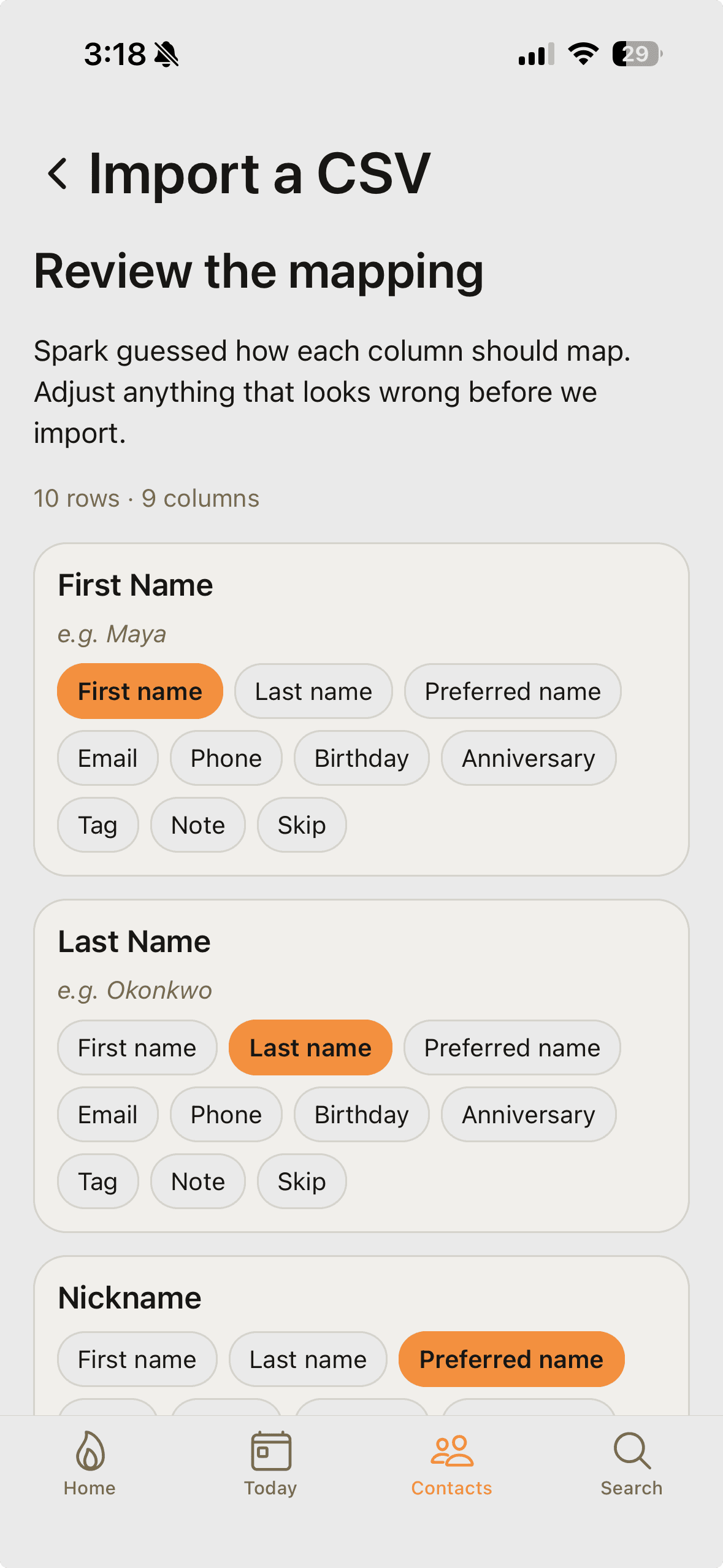
Day one, Spark pulls in your existing network. From your phone's contacts - you pick exactly which people to bring in, inside Spark, and we never sync your address book in the background - or from a CSV your old tool exported (Follow Up Boss, kvCORE, HubSpot, anything).
CSV imports run through an AI mapper: Spark looks at your column headers and the first five rows, proposes a column-to-field mapping with confidence scores, and flags the ones you should double-check. You confirm, then watch the progress bar.
Duplicate handling is built in. If a contact comes in with a phone or email you already have on file, Spark merges instead of duplicating - and never overwrites your existing data, just fills in blanks.
Step 2 · Talk to Spark
Tell Spark. It files.
Every screen in Spark has a sparkle in the top right. Tap it and you're in a conversation with Spark. Type, or hold the mic and speak.
Tell it anything: "Jamie just had her second kid - a boy, Henry, born last Thursday." Spark writes a FAMILY note, adds an important date, and shows you what it did with one-tap Undo per action.
When you mention other people - "Joe's brother lives in Denver," "Sarah and I both climb" - Spark files across the relationship graph. Both contacts get notes. So do you, when the fact is about you.
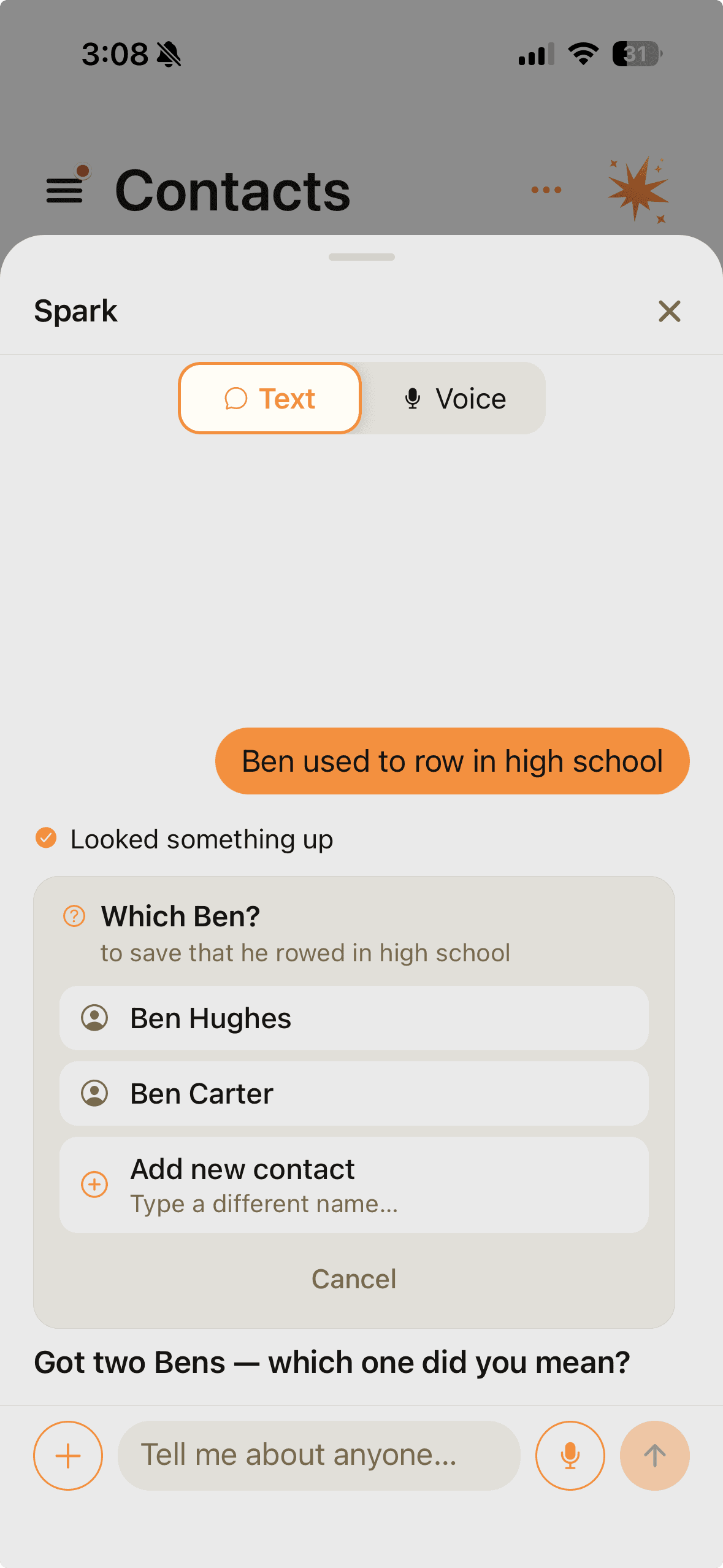
If multiple people in your network share a name, Spark doesn't guess. It surfaces a tap-to-pick chooser inline ("which Sarah?") and resumes once you've answered.
Step 3 · The morning list
The right people, at the right time.
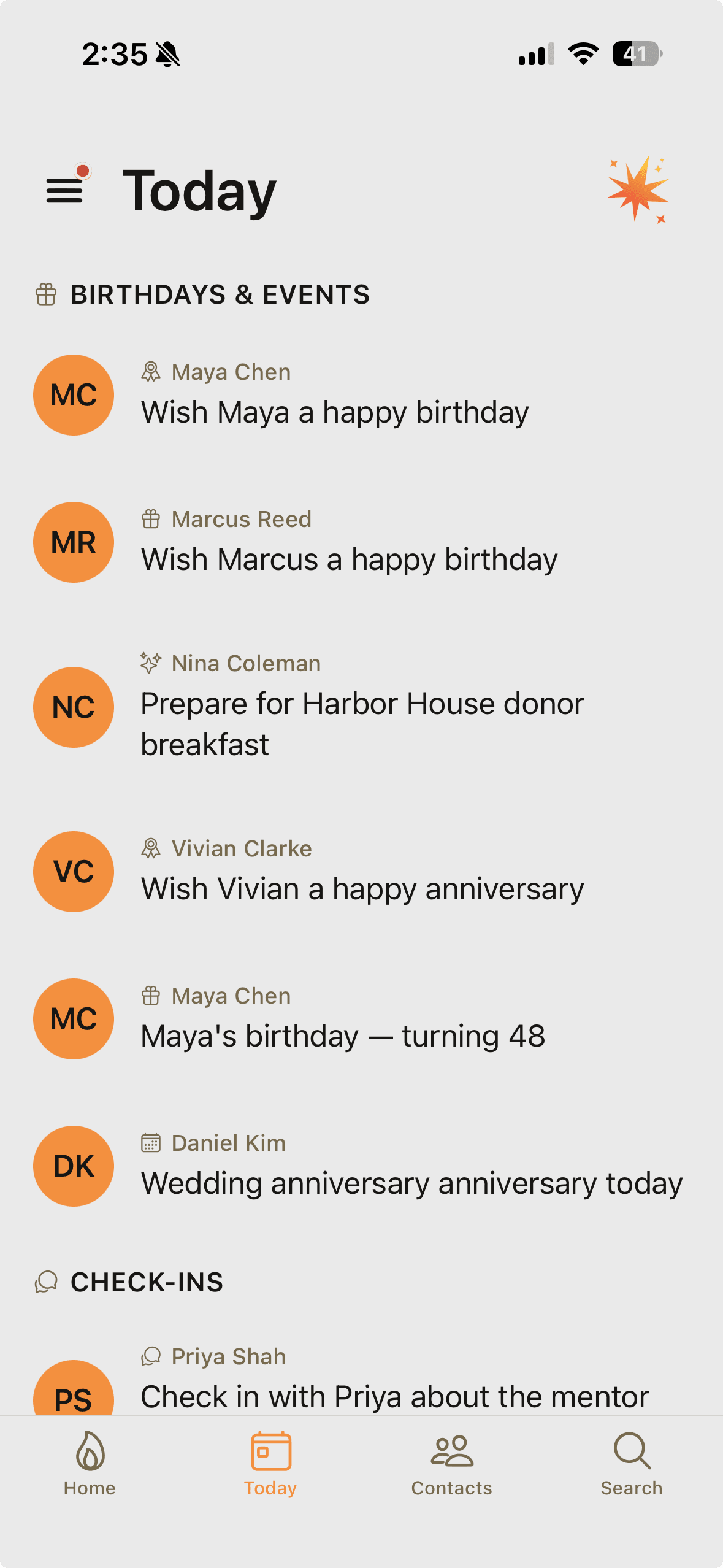
Spark prepares Today overnight after the news research pass has finished: it looks across your AI-enabled contacts, scans birthdays in the next 30 days, checks due reminders, evaluates cadence windows, picks topics, and finds the right people for today.
Later, at the ready-notification time you choose, you get one push: "Today is ready." Open the app. The right people, ranked by how much each item actually matters today. Each messageable item has a drafted message ready to review.
When you act on one - send the text, make the call, add the note - Spark logs it as a spark toward your weekly fire. Home shows the fire growing so the habit has a shape, not just a checklist.
No inbox. No backlog. Tomorrow's list will be fresh, and yesterday's unacted-on suggestions quietly go stale at midnight. Inaction is data, not debt.
Step 4 · News-grounded · Pro
"Heard about the Ravens trade?"
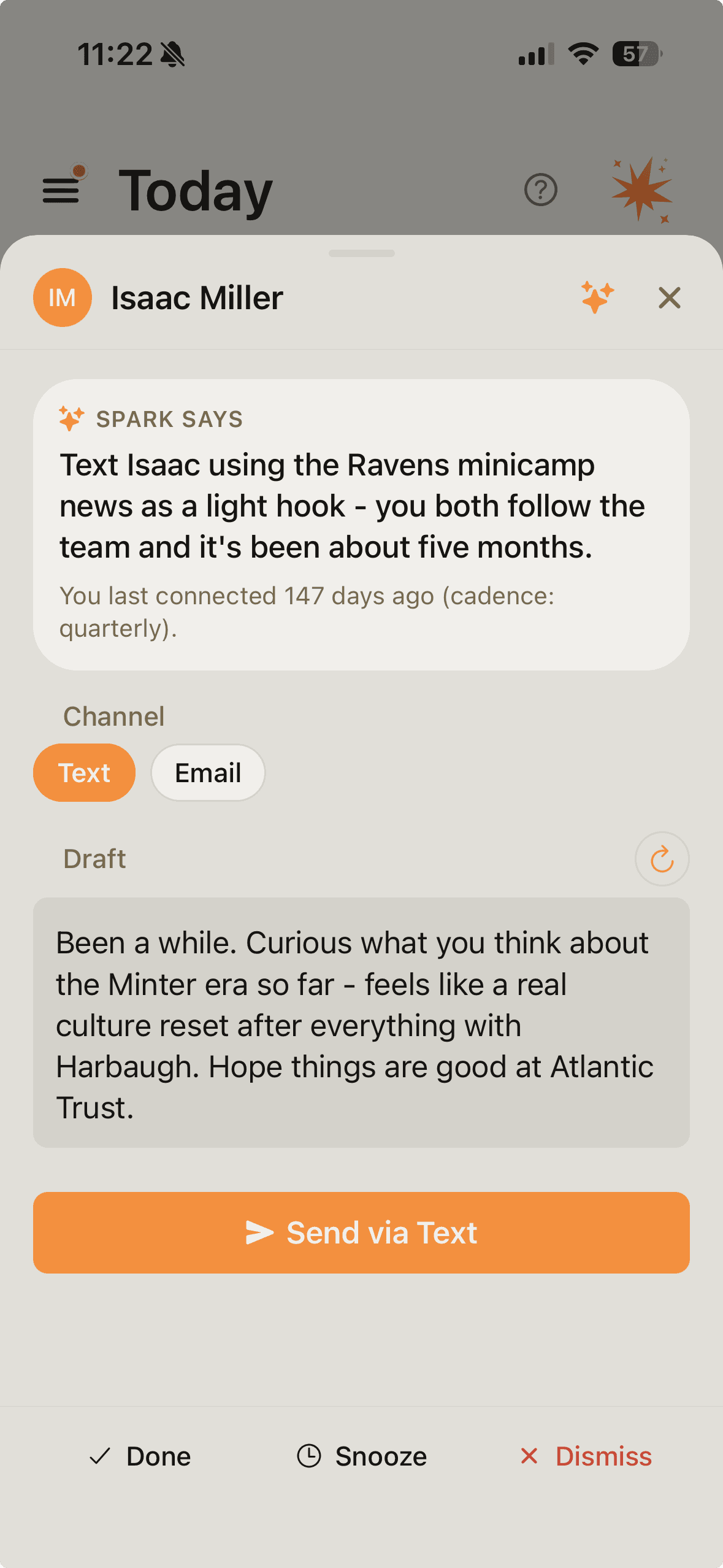
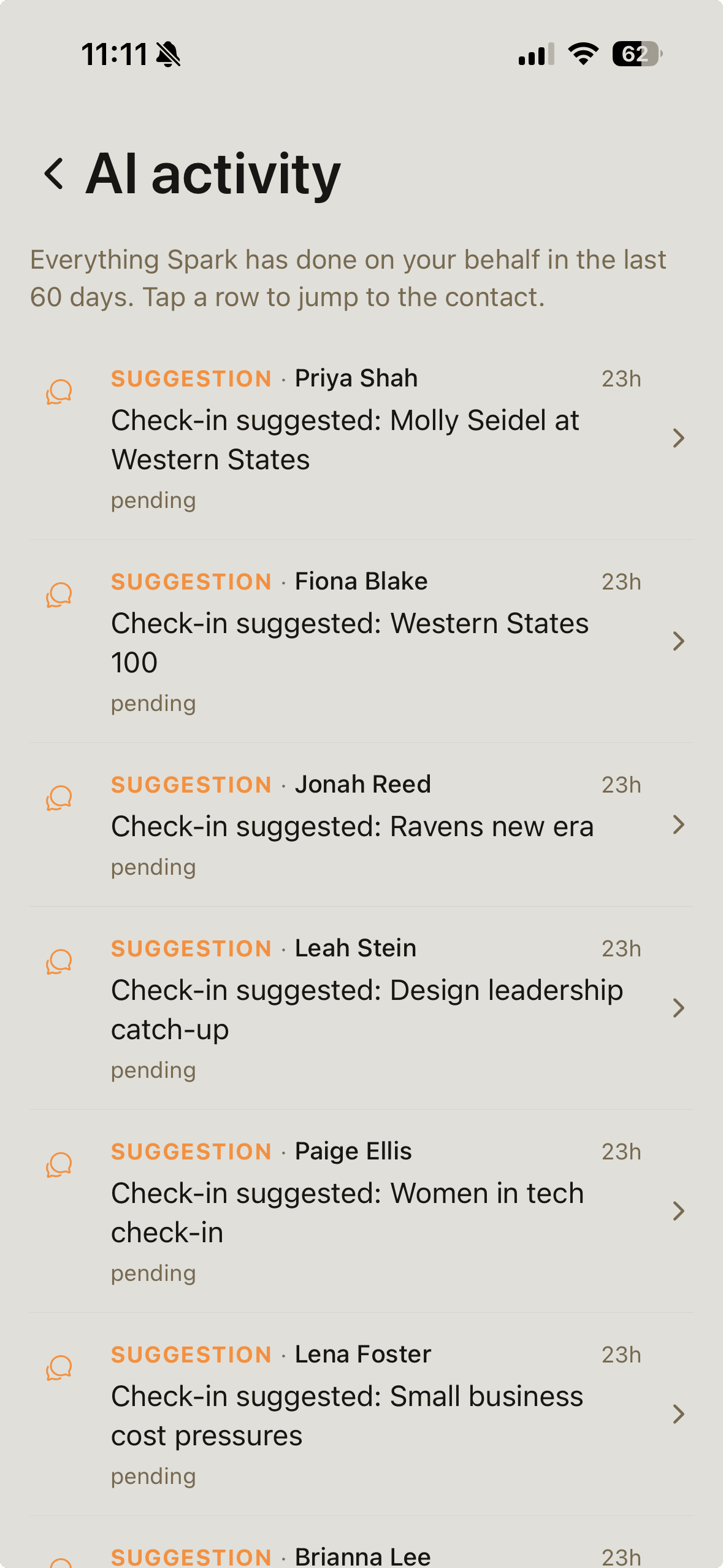
When Spark drafts a check-in to a contact who's a Baltimore Ravens fan, it knows the Ravens just traded for a new wide receiver. When it drafts to someone who works at Stripe, it knows they shipped a new product this week.
Spark extracts topics from each contact's notes - the Ravens, Stripe, the local school district, marathon running, whatever you've told it. Once a day, a search runs across the union of every Pro user's topics.
At draft time, Spark quietly checks if there's fresh news on any of that contact's topics. If there is, it weaves it in. If not, it drafts the normal way.
Sentiment-filtered. Spark never drafts "thinking of you" because a tragedy hit their hometown.
Step 5 · Voice
Spark writes the way you actually do.
Most AI-drafted messages read like a LinkedIn comment. Spark's don't. Spark studies the messages you send through Spark, plus any optional writing samples or integrations you explicitly connect, and distills a small profile of how you write.
Tone (warm, direct, playful, formal). Length (brief, medium, long). Sign-off (cheers / a single first initial / nothing at all). Emoji habit. A handful of phrases you actually use.
Every draft Spark writes runs through that profile. The output sounds like you talking - not like an assistant pretending to be you.
Step 6 · Learns from no
The smarter half of the loop.
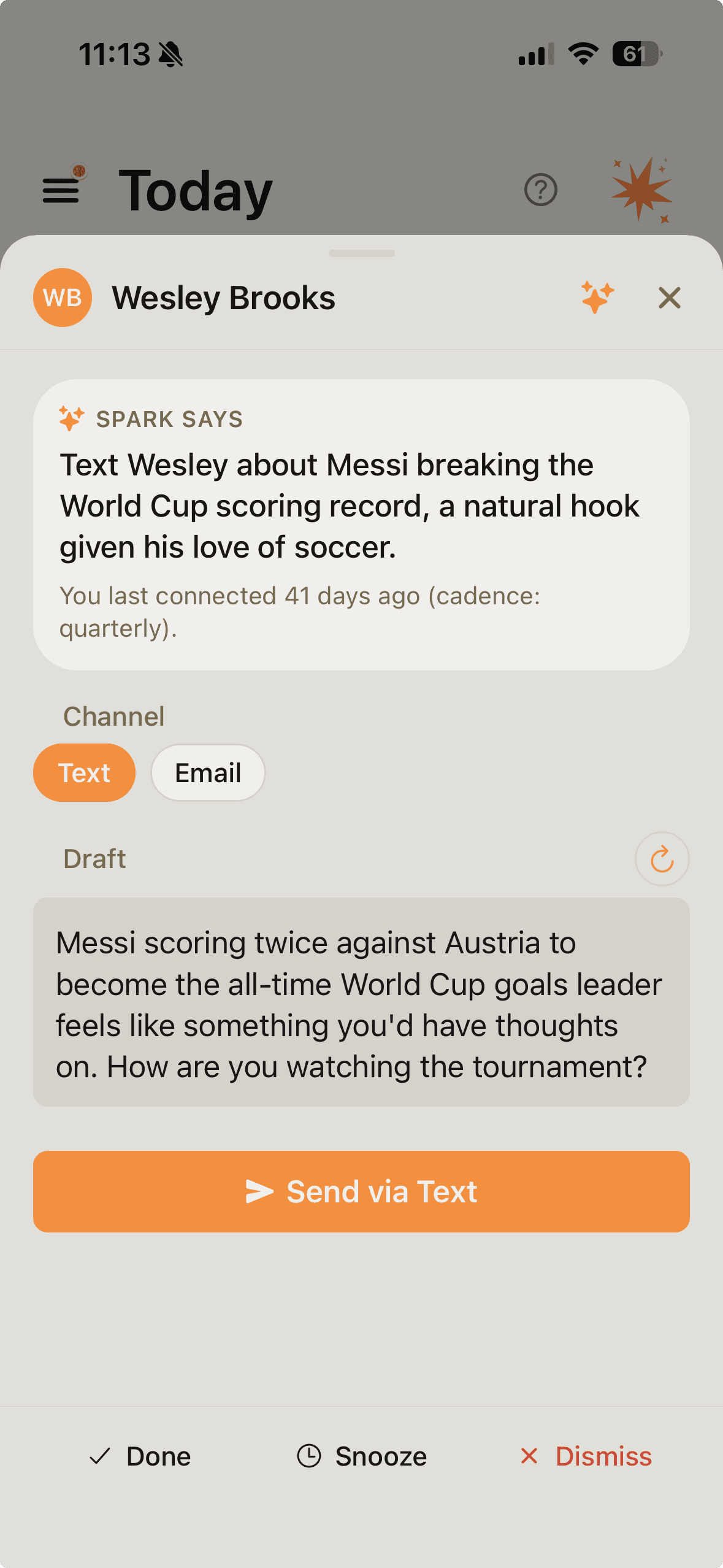
Dismiss a suggestion and Spark asks why. Pick a tag - tone wrong, timing wrong, wrong channel, already in touch, not interested. Or type the reason out.
Spark turns that into a durable fact about the contact. "Steve prefers email." "Anna's a Steelers fan, not a Ravens." Those facts show up as "What Spark learned" chips on the contact, and they shape future drafts and suggestions.
After three consecutive rejections for the same contact in one generation cycle, Spark backs off and doesn't surface them again until the next cadence window opens or something genuinely new happens.
Most apps treat "no" as silence. Spark treats it as the most valuable signal you give it.
Step 7 · Afternoon questions · Pro
Spark fills in its own gaps.
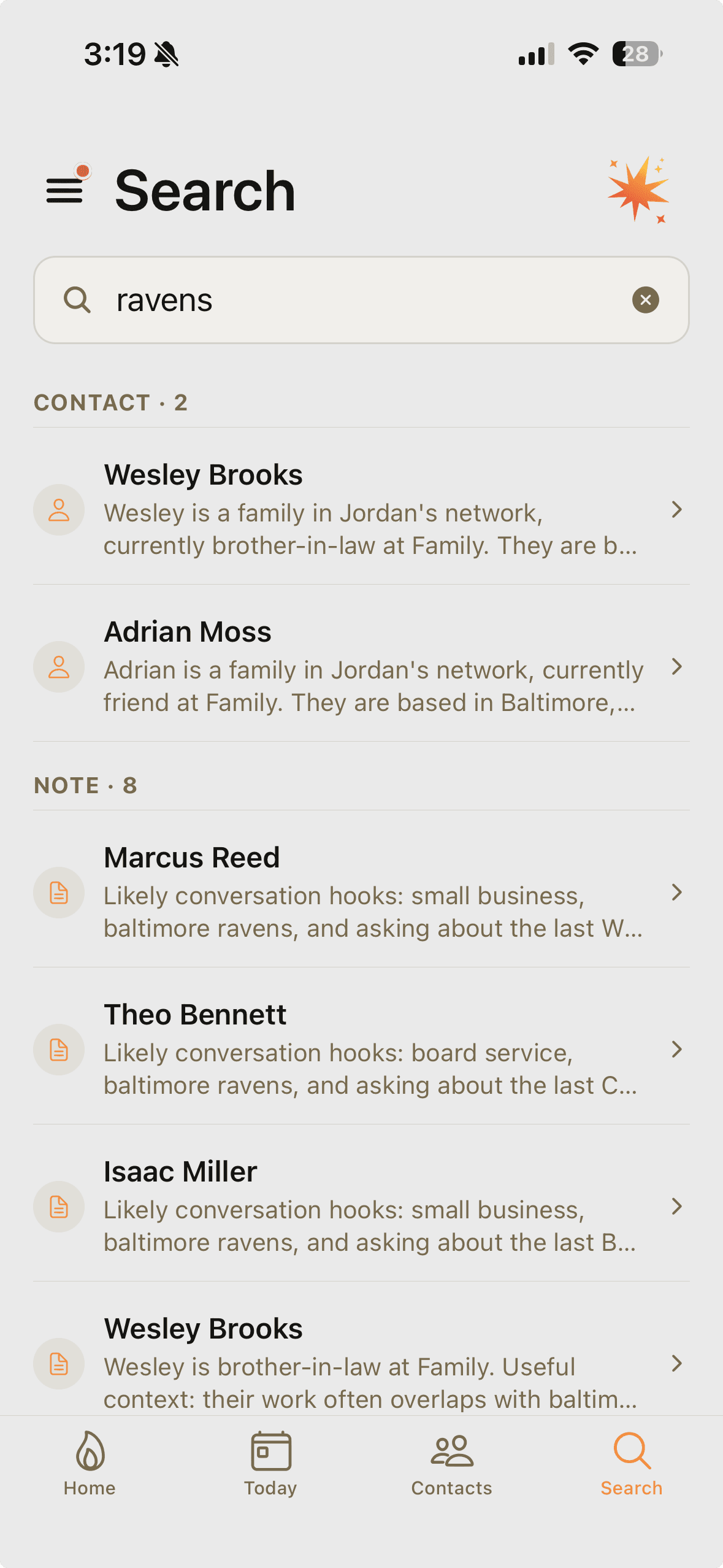
Every weekday at 3pm local, Spark looks at the contacts whose file is thinner than it should be - the ones you marked as close, but Spark doesn't actually know much about them yet - and writes one specific question per person.
"What's John's daughter studying again?" "Where does Priya live these days?" Tap the row and Spark opens with that question as its first line. Type or speak the answer - Spark files it. Bio refreshes. Future suggestions get smarter.
Up to three questions a day. Per-contact cooldown of two weeks. Spark won't ask if it doesn't have something specific to ask about.
Step 8 · Trust
AI-made changes are correctable. AI activity is yours to see.
When Spark makes a concrete change for you inside Spark Chat, the action card includes Undo. Wrote the wrong note? One tap. Filed against the wrong contact? One tap. Generated a draft you hate? Regenerate, edit, or just don't send.
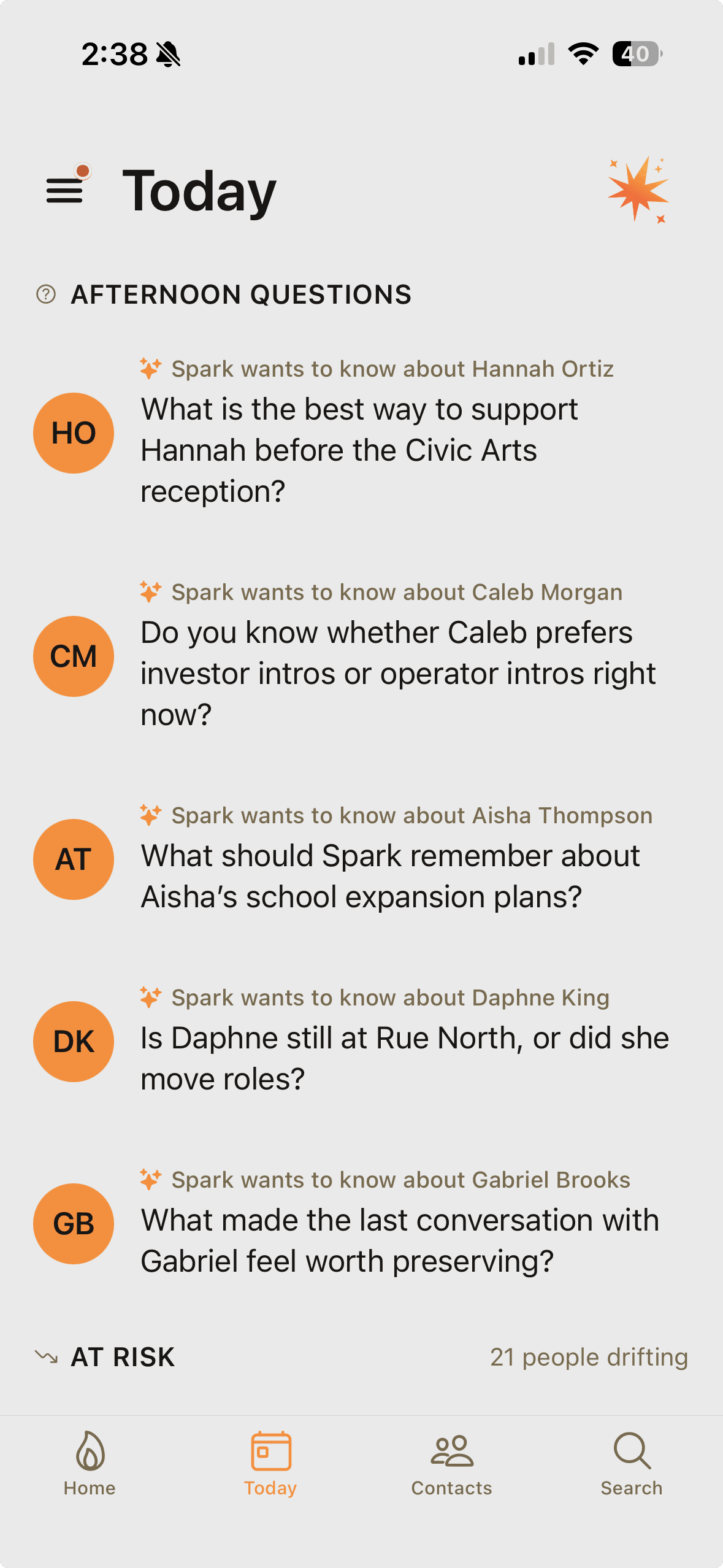
AI activity is logged. Me → History → AI activity shows a chronological list of what Spark has done - suggestions generated, context questions, bio refreshes, and notes Spark added. Tap a row to jump to the contact it affected.
Every conversation with Spark persists in full - including the tool calls Spark made, what they wrote, what their inputs and outputs were. Nothing about what Spark does is opaque.
Ready to try it?
First month of Pro or Power free. Cancel anytime. No credit card needed to start the free tier.