
For contractors
Your next job is a past client.
Spark makes sure they remember you.
The kitchen you remodeled three years ago? That homeowner is about to redo their bathroom - and they're going to ask their neighbor for a name, because they can't remember yours. That's the whole problem. Not your work. Not your reviews. The two-to-five-year gap between projects, where good contractors quietly get forgotten.
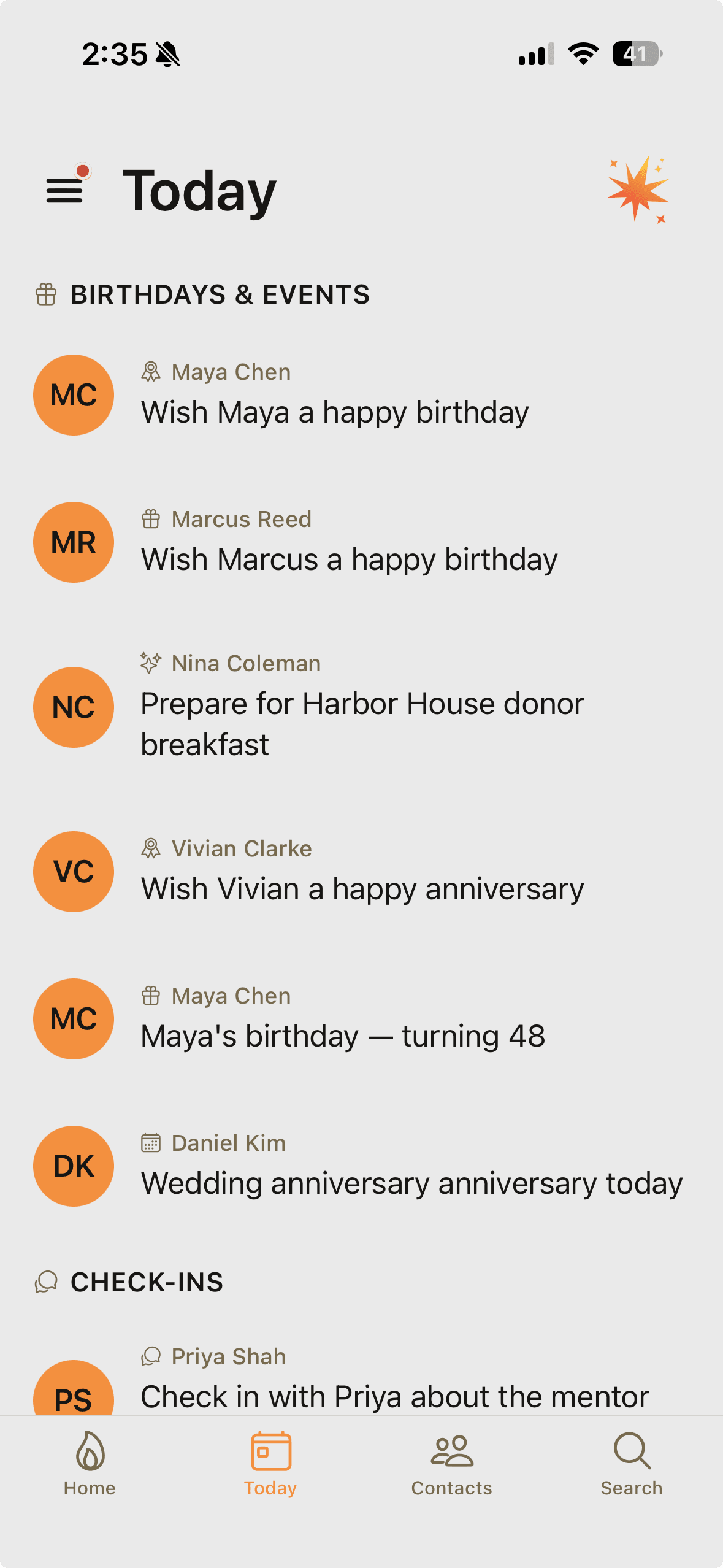
Spark closes that gap one thoughtful touch at a time. A few names every morning, each with a drafted check-in worth sending - so when the next project comes up, you're the name they already have. Each real touch becomes a spark toward a weekly rhythm you can actually keep.
$19.99/mo Pro. First month free. No credit card to start the free tier.
The gap your job software leaves
Jobber runs the job.
Nothing runs the relationship after it.
You probably already pay for Jobber, or Housecall Pro, or Buildertrend, or ServiceTitan. They're good at what they do: estimates, scheduling, invoices, change orders, getting the crew to the right address. They manage work.
But the day you collect the final check, that client falls off every dashboard you have. The software's job is done. And yet that homeowner is the single most valuable lead source you will ever have - a person who has seen your work, paid your price, and would refer you tomorrow if you were still on their mind. Most contractors do exactly nothing with that. Not because they don't care - because there's no system for it, and there's a job site to be on at 6:30 a.m.
Spark doesn't replace your job-management software. It does the part those tools were never built for: keeping the relationship warm between this project and the next one.
What this looks like between jobs
Six things Spark quietly does for a contractor.
01
Project anniversaries surface themselves.
Tell Spark what you built and when you finished. A year later, "the Garcias' kitchen turns one" shows up in Today with a drafted note asking how it's holding up. That message costs you thirty seconds and is worth more than any ad you could run.
02
Seasonal check-ins, on your trade's clock.
Pre-winter for the furnace and gutter work. Early spring for decks, patios, and exterior paint. Set the cadence that matches what you do, and Spark puts the right homeowners in front of you at the right time of year - with a draft, not a blank screen.
03
The referral ask you keep meaning to make.
The best moment to ask for a referral is right after the final walkthrough, when they love the work. The second best is every well-timed check-in after that. Spark nudges you at both - so the ask happens while the goodwill is real, not eighteen months too late.
04
Warranty windows you actually track.
Tell Spark the warranty runs out next June. Before it does, you get a nudge to check in - "anything you want me to look at before the workmanship warranty wraps up?" That call turns a liability deadline into the most professional touch a homeowner has ever gotten from a contractor.
05
Log it from the truck.
Driving away from a walkthrough: hold the mic and say "The Hendersons want to do the basement in a couple years, kid starts high school next fall, husband's name is Dave." Spark files all of it and sets the follow-up. No clipboard, no notes app, no forgetting.
06
Your referral web, not just homeowners.
The realtor who sends you reno work. The plumber and electrician you sub and who sub you back. The supplier who bumps you up the line when material is tight. Spark keeps those relationships on a cadence too - because half your pipeline is other people's phones.
Getting started
Ten years of past clients, in by Friday.
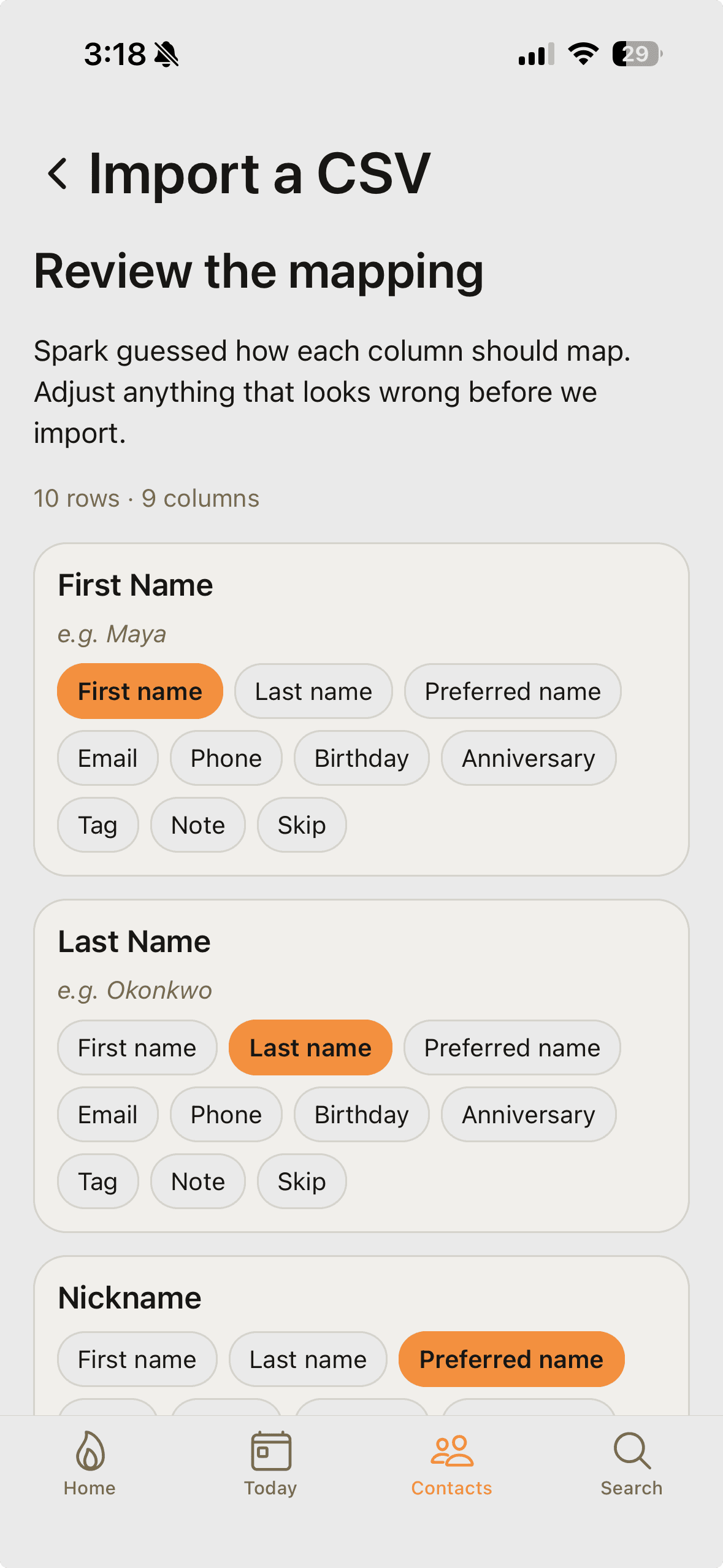
Your past clients are scattered across Jobber or Housecall Pro, old invoices, and your phone. Export what you have to CSV and drop it in - Spark's AI mapper reads your column headers, proposes a mapping, and flags anything weird. You confirm. It imports. Phone contacts come straight in from your device.
Duplicates merge instead of stacking, and your notes come along. Then tell Spark - typed or spoken - what you did for each of the ones who matter: "full kitchen remodel, finished October 2024, two-year workmanship warranty." That's the raw material for every anniversary note and warranty check-in from here on.
Keep your job-management software. It runs the work. Spark runs the relationships between the work.
The skeptical contractor's questions
Stuff you're probably wondering.
Does this replace Jobber / Housecall Pro / Buildertrend?
Will Spark text my clients without me knowing?
I'm not a 'CRM person.' How much desk time does this take?
My clients are one-and-done. Why keep in touch?
I've got 15 years of past clients. Is that too many?
What happens to my data if I cancel?
Try Spark free for a month.
First month of Pro or Power free. No credit card to start the free tier. Cancel anytime through your app store account.